
Posting every day sounds simple until the work starts to pile up. Ideas sit in different notes, draft files have unclear names, and the post for the day is still unfinished when the usual posting time arrives. After a few missed days, the whole routine can feel harder to restart than it was to begin.
A daily content system removes most of that daily decision-making. The plan for the week is set in advance, several posts are prepared together, and every file has a place. Posting then becomes a smaller task: check the plan, take the next prepared item, run a short check, and publish.
In short: A daily content system works when the week is planned in advance, several posts are made in one sitting, and every file has a clear name and place. A short checklist before posting catches small errors, and a weekly review shows what to keep, change, or drop. The system stays small, repeatable, and easy to restart after a busy day.
In this guide
- Plan the week with a simple content calendar
- Batch content in one sitting
- Set up a file and naming system
- Use a simple checklist before posting
- Review the week, then adjust
- Common mistakes to avoid
- Quick check before you finish
- Final thoughts
One generic example runs through this guide: a small creator who posts one short video and one text update each day. The short video carries the main idea for the day, and the text update sums up the same idea in a few lines. The example is only a way to show how the system works. The same structure also fits a creator who posts one main item and one short follow-up item each day, whatever the format may be.
Plan the week with a simple content calendar
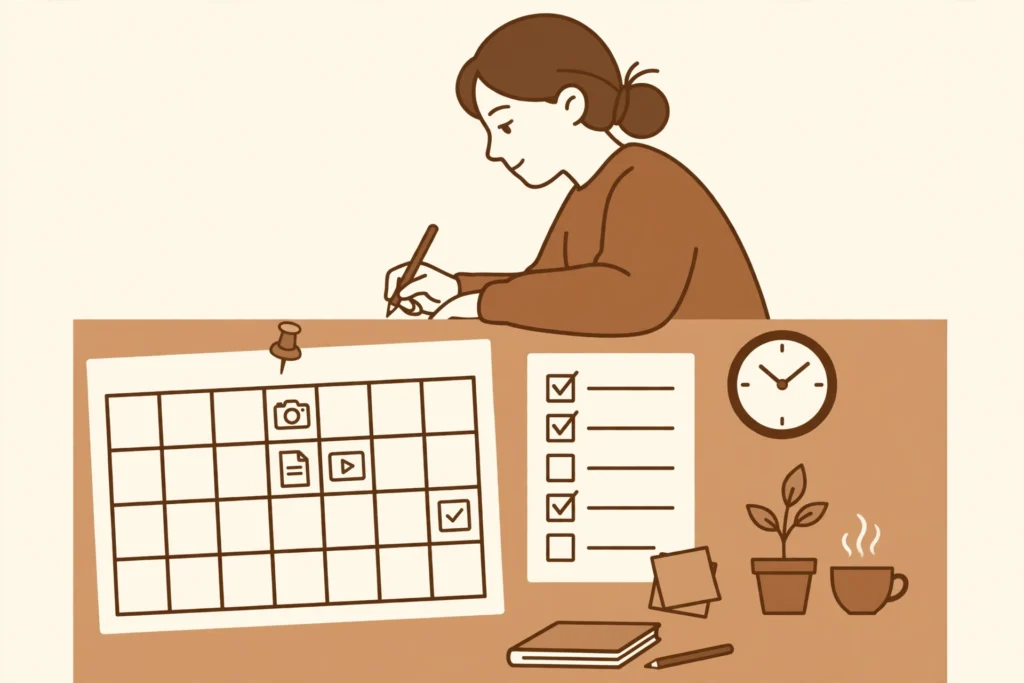
A weekly content calendar is a single view of the week ahead. Each day has one main idea, one format, and one status, such as planned, in progress, ready, or posted. The calendar does not need a complicated layout. A simple table with columns for the day, the idea, the format, and the status is enough to keep the week visible at a glance.
Planning usually works best in one short session at the start of the week. In that session, the creator picks seven main ideas, one for each day, and writes each idea in a single line. A single line keeps the plan flexible. A long script written too early can make a simple post feel like a large project before the work has even started.
For the example creator, a week might look like this: Monday, a short video on a simple morning habit, with a text update that sums up the habit in two lines; Tuesday, a short video on a desk setup, with a text update that lists the three items shown; Wednesday, a short video on a short break routine, with a text update that states when the break fits into the day. The pattern stays the same through the week, while the topic changes each day. That repeat pattern is what makes the calendar easy to follow.
Two limits keep the calendar realistic. First, only one main idea goes on each day, so a missed day does not leave a backlog of half-finished ideas. Second, the calendar leaves one spare slot in the week. The spare slot can hold a delayed post, a simple follow-up, or nothing at all. A calendar with no spare room tends to break at the first busy day, while a calendar with a spare slot can absorb a delay without a rewrite of the whole week.
Batch content in one sitting
Batching means making several posts in one sitting, instead of starting from scratch each day. The creator works through one stage at a time: first the ideas, then the recordings or drafts, then the edits, then the final checks. Working in stages cuts down on repeated setup, because the equipment, the notes, and the files are already open.
A practical batching session covers three days at a time. For the example creator, that means three short videos and three text updates in one sitting. The session starts with the three ideas from the calendar, in order. Each short video is recorded once, without stopping to edit between recordings. The three text updates are then written from the same notes. Editing comes last, after all three items exist in draft form.
Batching also needs a clear stopping point. A session ends when the planned items are in draft form, even if small edits remain. Trying to finish every detail in the same sitting often leads to long sessions and tired editing, which can delay the next batch. Small edits are easier to handle during the pre-post check, when each post is looked at on its own.
The batch is stored in the same folder system as the rest of the week, with each draft clearly marked as ready or still in progress. That way, the daily posting task is a matter of opening the folder for the day, rather than searching for a file that was made in a hurry.
Set up a file and naming system
A file system answers three questions quickly: where does a file belong, what is it, and what stage is it at. A simple structure uses one main folder for the week, with a folder inside it for each day. Inside each day folder sit the draft, the final file, and any image or note for that post. When the week ends, the week folder is closed and a new one begins, so old drafts do not mix with new ones.
File names follow one fixed pattern, in the same order every time: date, format, topic, and status. For the example creator, a name might read 2026-11-09-short-video-desk-setup-draft.mp4, while the finished version reads 2026-11-09-short-video-desk-setup-final.mp4. The text update for the same day follows the same pattern, with the format changed to text-update. Dates at the start keep files in order, and the status word at the end makes it clear which version is safe to post.
Three naming habits prevent most confusion. First, short names work better than long ones, because a long name is often shortened in different ways by different people and tools. Second, the same topic words are used in the calendar, the file name, and the post text, so a search for one word finds all three. Third, a final file is never overwritten by a new draft. A new draft gets a new status word or a new version number, and the final file stays untouched until the post is published.
Only original material belongs in these folders: drafts, notes, and files the creator has the right to use. A clear folder system also makes that easier to check, because each post can be traced back to its own draft and its own notes, rather than to a file with an unclear origin.
Use a simple checklist before posting
A pre-post checklist is a short list run through once, just before publishing. The list stays the same for every post, so it can be completed in a few minutes. A long checklist tends to be skipped, while a short one becomes part of the routine.
- The title matches the file and the calendar entry for the day.
- The main idea is clear in the first few lines or seconds.
- Names, dates, and numbers in the post have been checked once.
- The image or video opens correctly and the text is readable.
- Links, if any are included, open to the intended page.
- The post is scheduled or published at the planned time, and the calendar status is updated to posted.
For the example creator, the checklist runs twice each day, once for the short video and once for the text update. The second run is usually faster, because the text update repeats the same main idea and the same checked details. If a check fails, the post waits. Publishing a post with a known error, and then fixing it after it is live, takes more time than holding it for a short correction.
Review the week, then adjust
A weekly review is a short look back at the week, held at the same time each week. The review asks four questions: which posts were published on time, which posts were delayed and why, which part of the system slowed the work down, and what should change next week. The answers are written down in a few lines, so the same problem does not need to be solved again from scratch.
The review is not a judgement of the creator, and it does not need follower counts or growth claims to be useful. A useful review focuses on the system itself. If batching three days at a time felt rushed, the next batch can cover two days instead. If file names were still unclear, the naming pattern can be shortened. If one day of the week was often missed, that day can hold a simpler post type, such as a short text update on its own.
After the review, the next week calendar is started with the changes in place. Old ideas that were not used are either moved to the new week or removed. An idea list that only grows becomes another source of clutter, so a weekly clear-out keeps the list short and usable. The goal of the review is a system that is slightly easier next week than it was this week.
Common mistakes to avoid
- Planning too much at once. A calendar filled with large, detailed plans for every day leaves little room for real life. A one-line idea per day is enough to start.
- Starting a new system every week. Changing the calendar layout, the folder layout, and the checklist at the same time makes it hard to tell which change helped. Change one part at a time, after the weekly review.
- Saving drafts with unclear names. Names such as final-version-2 or new-post quickly lose their meaning. The fixed pattern of date, format, topic, and status avoids that problem.
- Skipping the checklist when time is short. The checklist matters most on busy days, because that is when small errors are most likely to slip through.
- Treating a missed day as a failed system. A missed day is a normal part of a daily routine. The spare slot in the calendar and the next batch session are there to bring the routine back without a restart of the whole system.
Quick check before you finish
- Is the week planned, with one main idea per day and one spare slot?
- Is the next batch session set, with three days of drafts planned?
- Do the file names follow the same date, format, topic, and status pattern?
- Has the pre-post checklist been run for the post going out today?
- Is the weekly review time set, with notes from the past week ready?
If the answer to any check is no, fixing that one item first is usually enough. A small fix to the calendar, a file name, or a checklist habit often clears up the rest of the week.
Final thoughts
A daily content system does not need to be large or complex to work. A simple calendar, a regular batching session, clear file names, a short checklist, and a weekly review give daily posting a steady shape. The system works best when it stays small enough to use on a busy day, because a busy day is the real test of any routine.
For the example creator, the routine is the same each day: open the calendar, take the next prepared short video and text update, run the checklist, and publish. The work for tomorrow is already partly done, because the next batch is in progress. That steady rhythm is the point of the system, not a perfect week without a single delay.
Related guide
- How to Make a Simple Social Post in Canva with Your Own Photos and Text — the main next step, with a simple social post made from a photo and text.
- How to Use Google Docs Headings, Outline and Table of Contents — a useful follow-up on clear headings, which help readers scan a longer document in the same way a clear calendar helps a creator scan a week.